
BIOS Viewer
Get to know your PC. See what changed.
A local dashboard for Windows hardware information, live CPU and RAM usage, snapshot tracking, and readable reports.
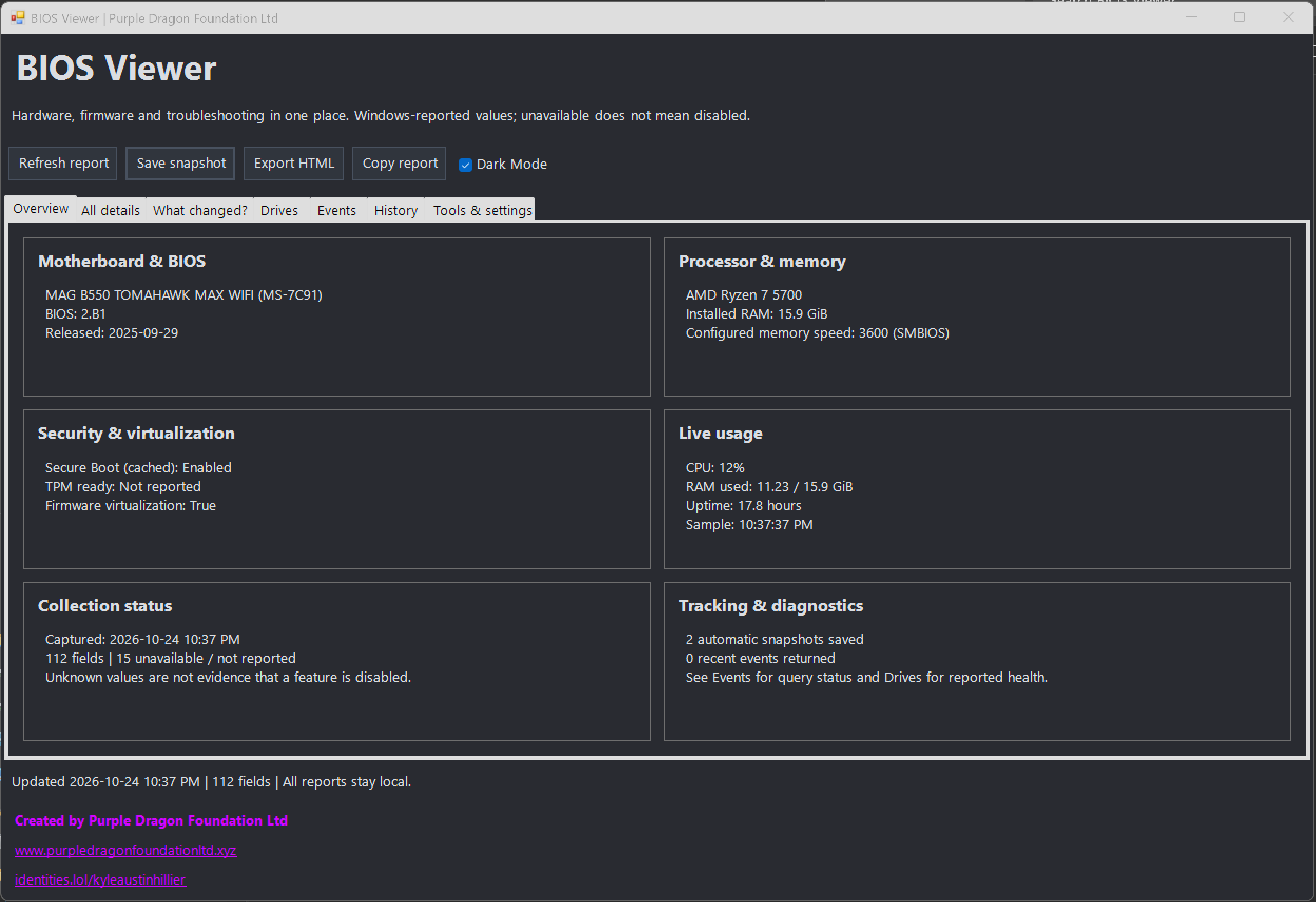
Hardware at a glance
- Motherboard, BIOS, processor, memory, security, and virtualization information.
- Live CPU, RAM, and uptime monitoring.
- Windows-reported drive health and available storage sensors.
- Recent WHEA hardware errors and Kernel-Power shutdown events.
Track changes over time
Save JSON snapshots and compare added, changed, and removed fields. Automatic history retains up to 30 generated snapshots, with an option to hide routine changes during comparison.
Export a standalone HTML report or copy the information table as text. Reports remain local unless you share them.
Getting started
- Open the GitHub repository and choose Code → Download ZIP.
- Extract the ZIP and keep the app files together.
- Double-click Open BIOS Viewer.cmd.
Requires Windows PowerShell 5.1, included with Windows. No installation, third-party packages, or network connection is required for the app. Some hardware queries need administrator permissions; unavailable values remain unknown.
Read-only system information
BIOS Viewer does not modify firmware, install drivers, apply updates, restart your PC, or change power plans. Sensor availability depends on your hardware, controller, and permissions.
A Healthy drive status is not a complete SMART diagnosis. Review the project documentation for collection limits and report privacy details.
Project details reviewed October 25, 2026. Created by Purple Dragon Foundation Ltd.
Browse all projects →